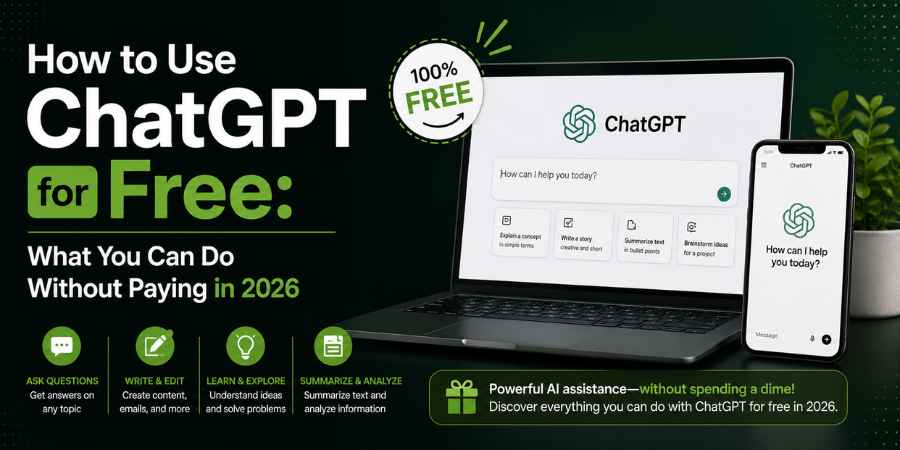
Yes, you can use ChatGPT for free without subscribing to a paid plan. The free version gives users access to everyday AI conversations, web search, file and image uploads, data analysis, image generation, GPTs and other tools, although individual features have usage limits. OpenAI says free users currently have access to GPT-5.6 Luna, while the exact model availability and limits can change over time.
The important part is knowing what the ChatGPT free plan actually includes. You do not need a subscription simply to ask questions, write content, summarize information or brainstorm ideas. Paid plans mainly increase usage limits and provide broader access to models and features.
Is ChatGPT free to use?
Yes. ChatGPT has a Free plan that lets you use the core chatbot without paying a monthly subscription. You can access it through the web and mobile apps, and OpenAI also says ChatGPT can be used without an account in supported regions.
For most people, the distinction is not between “free ChatGPT” and “no ChatGPT.” It is between free access with limits and paid access with higher limits.
With ChatGPT free, you can currently:
- Ask questions and have conversations
- Rewrite, summarize and draft content
- Search the web for current information
- Upload files and images
- Analyze data
- Create images
- Discover and use existing GPTs
- Use Library storage, subject to the current limits
OpenAI’s Free Tier FAQ confirms that these capabilities are available to free users, although separate tools can have separate usage limits.
How do you use ChatGPT for free?
To use ChatGPT for free, go to ChatGPT, start a conversation and type your question into the message box. You do not need ChatGPT Plus simply to start chatting.
The basic process is simple:
- Open ChatGPT.
- Start a new chat.
- Type your question or instruction.
- Send it.
- Continue asking follow-up questions if you need a better answer.
You can also start a fresh conversation when you want to change subjects. ChatGPT can use the context within a conversation to respond to follow-up questions.
A better way to use the free version
Instead of asking: “Write something about marketing.”
Give ChatGPT the actual task: “Write a 700-word article about B2B content marketing for startup founders. Use short paragraphs, question-based H2s and practical examples.”
The quality of the answer depends heavily on the instructions you provide. You do not need a paid plan to write a better prompt.
What can you do with ChatGPT for free?
The ChatGPT free plan is capable of much more than basic question-answering. OpenAI currently lists web search, file and image uploads, data analysis, image generation and access to GPTs among the capabilities available to free users.
Here are some of the most useful applications.
1. Write and rewrite content
You can use ChatGPT free for:
- Blog outlines
- Emails
- Social media posts
- Headlines
- Product descriptions
- Summaries
- Rewriting
- Brainstorming
- Editing
- Grammar correction
You can also give it an existing paragraph and ask it to make the writing clearer, shorter or more conversational.
2. Research current information
ChatGPT free includes web search, so you can ask questions that require current information and receive answers with sources. Web search is available across Free and paid ChatGPT plans, although usage is subject to plan limits.
For example: “What are the latest changes to Google’s search algorithm in 2026?”
or: “Compare the latest iPhone models and cite your sources.”
This is particularly useful because a standard AI response may not have the latest information unless web search is used.
3. Upload files and images
Free users can upload files and images to ChatGPT for analysis, subject to usage limits.
You could upload:
- A PDF and ask for a summary
- A spreadsheet and ask for trends
- A document and ask for editing
- An image and ask what it contains
- A report and ask for its key findings
This makes ChatGPT useful for work and study rather than simply casual conversations.
4. Analyze data
ChatGPT’s free tier provides access to data analysis, although the tool has its own usage limits.
For example, you can upload a spreadsheet and ask: “Which month had the highest revenue?”
or: “Find the three products with the fastest growth.”
You can then ask follow-up questions about the same dataset.
5. Generate images
Free users can also create images in ChatGPT, although image generation has separate usage limits from ordinary text conversations.
For example: “Create a minimalist illustration of a woman working at a laptop in a futuristic office.”
If you reach the applicable image-generation limit, you have to wait for the limit to reset.
Does ChatGPT Free have a message limit?
Yes, but the limits are not necessarily one fixed number of messages for everyone. OpenAI says free users have everyday text chats subject to abuse-prevention safeguards, while individual tools such as file uploads, image generation and data analysis have separate limits.
This is one of the most important things to understand about ChatGPT free.
You may be able to continue chatting while temporarily being unable to use a particular tool.
For example:
- Text chatting can remain available.
- Image generation can reach its own limit.
- File uploads can have a separate limit.
- Data analysis can have another limit.
- GPT usage can follow its own model limits.
When you reach a tool limit, ChatGPT will tell you when you can use that capability again.
Because OpenAI changes limits and model availability over time, it is better to check the limit shown in your account than rely on an old article claiming a specific daily number.
Can you use ChatGPT Search for free?
Yes. ChatGPT Search is available on the Free plan. OpenAI says users can search the web directly from ChatGPT, and the system can also automatically search when a question would benefit from current information.
To search manually, OpenAI currently instructs users to:
- Open a conversation.
- Select View all tools.
- Select Search.
- Enter the question.
You can also use the / shortcut where supported.
This means you do not need ChatGPT Plus simply because you want an AI assistant that can look up current information.
Can you use ChatGPT without creating an account?
In supported regions, ChatGPT can be tried without signing in. OpenAI’s current FAQ says ChatGPT is available on the web and that users can try it without an account in supported regions.
But, by creating an account you can experience ChatGPT in a more persistent way, with access to your conversations and account wide settings.
If you are using ChatGPT frequently for work or academics, an account is typically more convenient than consistently chatting without signing in.
What are the limitations of ChatGPT Free?
The main limitation of ChatGPT Free is not that the chatbot is unusable; it is that usage and access to certain tools are more restricted than on paid plans.
OpenAI says Free users have lower limits than Plus users, while paid plans provide broader access and higher limits.
You may encounter limits involving:
- Advanced model usage
- File uploads
- Image generation
- Data analysis
- GPT usage
- Other advanced tools
There is another important limitation: free users can use existing GPTs but cannot create and publish new GPTs on personal Free accounts.
So, if your objective is simply to ask questions, write, research, analyze occasional files or generate some images, the free plan may be sufficient. If you use ChatGPT heavily throughout the day, the limits become more relevant.
Is ChatGPT Free enough for students and writers?
For many students, writers and casual users, ChatGPT Free can be enough for everyday work.
A student could use it to:
- Explain difficult concepts
- Create study questions
- Summarize notes
- Brainstorm essay topics
- Analyze uploaded material
- Research current information
A writer could use it to:
- Brainstorm headlines
- Create outlines
- Rewrite paragraphs
- Generate interview questions
- Check clarity
- Research with web citations
The bigger question is how frequently you use those features.
Someone who asks 10 questions a day may have a very different experience from someone who spends eight hours using ChatGPT for research, file analysis and image generation.
Do you need ChatGPT Plus if ChatGPT Free already works?
No. You only need a paid plan if the additional access or higher limits are useful to you.
ChatGPT Plus currently costs $20 per month and provides higher limits, broader model access and additional capabilities compared with Free.
OpenAI also offers ChatGPT Go, a lower-cost paid tier that provides expanded access to features available on Free.
A simple way to decide:
|
If you mainly need… |
Consider |
|
Everyday questions |
ChatGPT Free |
|
Occasional writing and research |
ChatGPT Free |
|
Occasional file analysis |
ChatGPT Free |
|
Web search |
ChatGPT Free |
|
Occasional image creation |
ChatGPT Free |
|
Heavy daily usage |
Paid plan |
|
Higher usage limits |
Paid plan |
|
More advanced model/tool access |
Paid plan |
What is the easiest way to get the most out of ChatGPT Free?
The simplest strategy is to use the free plan for high-value tasks and write precise prompts instead of wasting your available usage on vague requests.
For example, instead of: “Tell me about SEO.”
Try: “Explain Google’s current approach to AI-generated content in 500 words. Separate confirmed information from interpretation and cite current sources.”
Instead of: “Improve this.”
Try: “Edit this article like a senior magazine editor. Remove repetition, vague claims and unnecessary sentences. Keep the facts and make the tone conversational.”
You can also ask follow-up questions rather than starting over:
“That is too generic. Give me three factual examples.”
“Remove the repetition.”
“Make this tighter.”
“What information is missing?”
This turns ChatGPT free from a simple question-and-answer tool into a much more useful writing, research and productivity assistant.
So, is ChatGPT really free?
Yes. ChatGPT has a genuine Free plan, and you can use it for conversations, writing, web search, file and image analysis, data analysis, image generation and other capabilities without paying a monthly subscription. The catch is that free access comes with usage limits, and those limits and available models can change.
The practical answer is simple: start with ChatGPT Free. If you regularly hit limits or need broader access to advanced models and tools, then consider upgrading.
For someone who uses AI occasionally, there is little reason to pay simply because a paid plan exists. The free version already covers a substantial amount of everyday work.