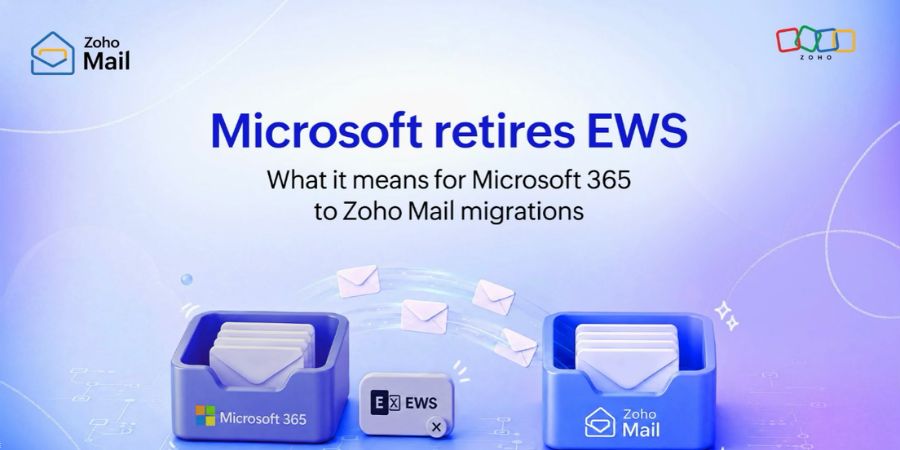
Microsoft 365 organizations relying on Exchange Web Services (EWS) need to prepare for a major change. Microsoft is retiring EWS from Exchange Online, with phased blocking scheduled to begin on October 1, 2026, followed by permanent retirement on April 1, 2027.
The change affects more than traditional email applications. Custom automation, CRM integrations, calendar synchronization, migration platforms, backup solutions, compliance systems, and internally developed applications may all depend on EWS. Organizations that have not identified these dependencies should begin auditing their environments now.
What Is Exchange Web Services?
Exchange Web Services was introduced in 2007 as an API for programmatic access to Exchange data. Developers used EWS to work with email, calendars, contacts, mailboxes, tasks, and other Exchange functionality.
For almost two decades, EWS became deeply embedded in enterprise technology. Many organizations built internal applications around it, while third-party vendors incorporated EWS into CRM, backup, migration, compliance, and productivity products.
Its long history also created a challenge: applications that continued to work reliably had little immediate incentive to be rewritten.
That situation has now changed.
Why Is Microsoft Retiring EWS?
The Exchange Web Services retirement reflects Microsoft’s broader move toward modern cloud security and API architecture.
Microsoft Graph provides a modern REST-based API platform with OAuth authentication and granular permissions. It also connects Exchange Online with other Microsoft 365 services, including OneDrive, SharePoint, and Teams.
EWS, meanwhile, has remained in maintenance mode. Microsoft’s transition toward Graph has therefore been developing for years rather than appearing suddenly.
For organizations, the retirement represents an opportunity to replace legacy integrations with a more modern architecture.
What Replaces Exchange Web Services?
Microsoft Graph is Microsoft’s recommended replacement for EWS in Exchange Online.
Graph provides APIs for common Exchange workloads such as email, calendars, contacts, and mailbox information while also offering access to a much broader Microsoft 365 ecosystem.
However, migration is not always a simple endpoint replacement. Developers may need to redesign authentication, permissions, API requests, error handling, throttling strategies, and application workflows.
Microsoft provides official migration guidance through Microsoft Learn, making it an important resource for development and IT teams planning the transition.
Who Is Affected by EWS Retirement?
The impact extends across many enterprise environments.
Organizations should investigate whether EWS is being used by:
- Custom internal applications
- CRM and calendar integrations
- Email automation systems
- Migration platforms
- Backup and archiving tools
- Compliance and eDiscovery software
- Help desk applications
- Internal scripts and automation
- SaaS applications connecting to Microsoft 365
Developers maintaining production applications should begin testing Graph-based implementations well before the October 2026 blocking phase.
SaaS vendors and Microsoft partners face an additional responsibility because their customers may depend on legacy EWS functionality without realizing it.
Microsoft EWS Retirement Timeline
| Date | What Happens |
|---|---|
| Now | Audit applications and integrations using EWS |
| October 1, 2026 | Phased blocking of EWS begins in Exchange Online |
| April 1, 2027 | EWS is permanently retired from Exchange Online |
| After April 2027 | On-premises Exchange Server remains unaffected |
The October deadline should not be treated as the beginning of the migration. Organizations should aim to complete critical migrations before phased blocking begins.
What Should Organizations Do Now?
The first step is an EWS dependency audit. Identify applications making EWS requests and determine how important each application is to business operations.
Next, contact third-party vendors. Backup providers, CRM vendors, migration platforms, and compliance software providers should have a clear Microsoft Graph migration roadmap.
Organizations should then prioritize dependencies according to business risk. A legacy reporting script may be less urgent than a backup platform responsible for protecting thousands of mailboxes.
Testing is equally important. Microsoft Graph has different authentication, permission, throttling, and response behaviors compared with EWS. Developers should validate migrated applications in test environments before deploying them to production.
IT teams can also use Microsoft Graph documentation to build familiarity with the new API platform.
For more technology, business, and digital transformation insights, explore Elevate Icons.
What Happens If Organizations Miss the Deadline?
The consequences could range from broken automation to serious operational disruptions.
CRM systems may stop synchronizing calendars and contacts. Email automation workflows could fail. Backup applications could encounter authentication problems, while migration projects could be interrupted. Compliance systems may also lose access to mailbox information.
The greatest risk is not necessarily an obvious system failure. Some problems could appear as incomplete synchronization, missing data, or unexpected API errors that remain unnoticed until an audit or business-critical event.
Organizations with undocumented legacy applications are therefore particularly vulnerable.
Does EWS Retirement Affect On-Premises Exchange?
No. The retirement applies specifically to Exchange Online within Microsoft 365.
Organizations running Exchange Server on-premises can continue using EWS on those deployments. However, companies operating hybrid environments should carefully determine which applications connect to Exchange Online and which connect to on-premises infrastructure.
Conclusion
The Microsoft EWS retirement is a significant modernization milestone for Microsoft 365. With phased blocking beginning October 1, 2026, organizations should treat the deadline as an immediate planning priority rather than a distant IT project.
Microsoft Graph provides a supported path forward, but migration requires auditing, development, testing, vendor coordination, and security review.
The best strategy is straightforward: identify every EWS dependency, prioritize critical systems, migrate to Microsoft Graph, and test before Microsoft’s blocking begins.